
Browse and discover the layout of MyOxford research portal. Explore the tabs below to familiarise yourself with the benefits. Click here to view the site guide.
Research view

HTML reports allow you to discover the answers to questions across thousands of articles, charts and tables. Our improved search function makes it easier to search for relevant topics and associated research.
Accessible data
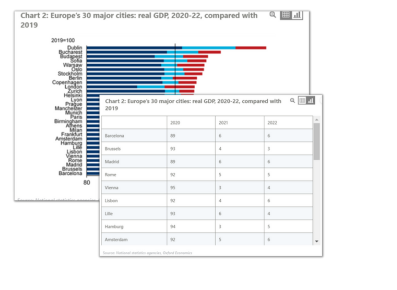
Access the data and forecasts underneath charts in our research reports with one click. Switch between chart and data views and download the data and charts to Excel or PowerPoint for your direct usage.
Interactive
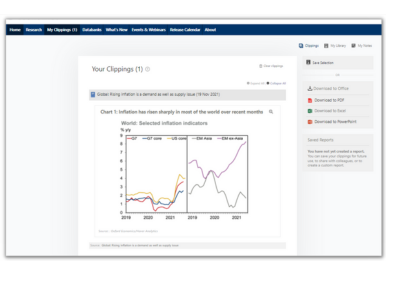
Add your notes directly in the reports and use the new functionality to create customised alerts on topics that matter the most to you.
Create your own reports or presentations by combining charts, tables and text from Oxford Economics reports and share them with your colleagues to collaborate on projects and reports more easily.
Mobile experience

Our easy to read, more user-friendly format is specially designed for an advance mobile experience, offering all filter and search functions on any mobile device.
Industries
Industry Climate Service - Understanding the risks and the opportunities – now and in the future – is key to effective mitigation and adaptation strategy development for governments and businesses.
Climat change
Global Climate Service - Our unique climate scenarios
and research will help you translate the impact climate change will have on the
global economy, different countries and sectors, and subsequently on your business.
Global Sustainability Model - Accurately measure
your organisation's global footprint through economic, environmental and social
lenses, identify risks and develop strategies to become more sustainable.
Browse through the key features of MyOxford Research Portal
How to set up email notification
Click on Edit Profile under My Profile in the top right corner. Click on My Notification Preferences in the upper right corner and select countries or services. Make sure you click the Save button at the bottom.
How do I register for a webinar?
You can find our upcoming webinars on our EVENTS & WEBINARS page. Choose a webinar you're
interested in and click on register now, select a session that suits your timezone and
fill in the form. A confirmation email will be sent to your inbox.
To get invitations in your inbox, register your webinar invitation preferences here.
How can I check the data behind a chart?
Access the data and forecasts underneath charts in our research reports with one click. Switch between chart and data views and download the data and charts to Excel or PowerPoint for your direct usage.
Can I translate the reports?
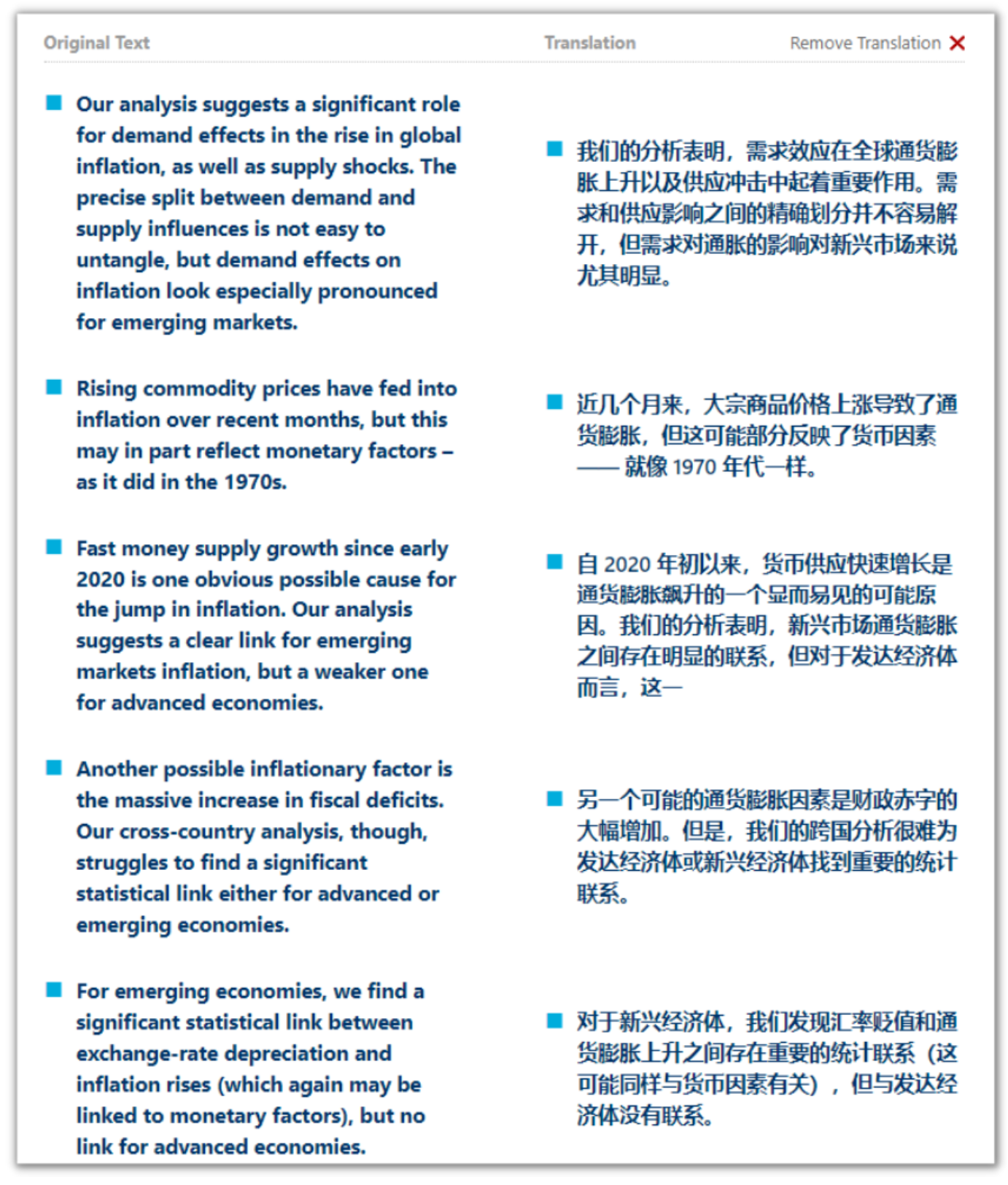
By clicking on TRANSLATE on the top right corner in each report, you can read our report
in your language.
Automated translations are available in:
Japanese, Mandarin, Korean, Russian, German, French, Spanish, Portuguese and Italian
Step-by-step guide on how to use our database
How to set up the Excel Plugin?
Excel Data Workstation is an advanced Microsoft Excel add-in (or plugin), free to
download and install for Oxford Economics clients. Our historical and forecasts data can
be pulled directly from the Global Economic Databank.
We are a leader in global forecasting and quantitative analysis. Our worldwide client base comprises over 2,000 international corporations, financial institutions, government organisations, and universities. We are specialised in forecasts and models, economic impact, and thought leadership on a global and regional level.
Click here if you would like to find out more about us and our services.
UK and Europe
Oxford – Global Headquaters
60 St Aldates, Oxford, OX1 1ST
Tel: +44 (0)1865 268 900
Email: admin@oxfordeconomics.com
London – Main UK Sales Office
4 Millbank Westminster London, SW1P 3JA
Tel: +44 (0)20 3910 8000
Email: cegan@oxfordeconomics.com
Belfast
91 Adelaide St, Belfast BT2 8FE, UK
Tel: +44 (0)2892 635400
Email: nmccullough@oxfordeconomics.com
Paris
70 avenue Kléber 75116 Paris France
Tel: +33 (0)1 78 91 50 52
Email: pdelage@oxfordeconomics.com
Milan
Corso Magenta, 56 20123 Milan
Tel: +39 02 007 06824
Email: rcanini@oxfordeconomics.com
Frankfurt
Marienstraße 15, 60329 Frankfurt am Main
Tel: +49 699 675 8660
Email: josterhaus@oxfordeconomics.com
Americas
New York
2 Park Avenue, Suite 1200 New York, NY 10016
Tel: +1 (646) 786 1879
Email: ericaokone@oxfordeconomics.com
Chicago
5600 N River Rd Suite 800, Rosemont Chicago, IL 60018
Tel: +1 (773) 372 5762
Email: nickstavropoulos@oxfordeconomics.com
Philadelphia
303 West Lancaster Avenue Suite 2e Wayne, PA 19087
Tel: +1 (646) 786 1879
Email: ericaokone@oxfordeconomics.com
Toronto
3280 Bloor Street West, Suite 903 Toronto, Ontario M8X 2X9
Tel: +1 (905) 361 6573
Email: timothywarren@oxfordeconomics.com
Mexico City
Paseo del la Reforma, 296, Floor 35 Colonia Juárez, Cuauhtémoc. Mexico City CP 06600
Tel: +1 718 666 1827
Email: grodriguez@oxfordeconomics.com
Africa
Cape Town
Cecilia Square 2nd Floor 100 Cecilia Street Paarl, 7646
Tel: +27 (0)21 863 6200
Email: eroupa@oxfordeconomics.com
Middle East
Dubai
Office 403-405, Jumeirah Bay Tower X2, Cluster X, Jumeirah Lake Towers, Dubai, UAE
Tel: +971 50 867 3560
Email: mpritchard@oxfordeconomics.com
Asia-Pacific
Hong Kong
Unit Nos 03C-05, 29th Floor, The Centrium, 60 Wyndham Street Central, Hong Kong
Tel: +852 9371 5054
Email: lbriffett@oxfordeconomics.com
Tokyo
Shiodome City Center 5th Floor, 1-5-2 Higashi Shimbashi, Minato-ku, Tokyo
Tel: +81 (0)3 4588 2798
Email: japan@oxfordeconomics.com
Singapore
6 Battery Road #38-05 Singapore 049909
Tel: +65 6850 0110
Email: rhianneclark@oxfordeconomics.com
Sydney
Suite 6.02, Level 6, Australia Square, Plaza Building, 87-95 Pitt Street, Sydney, NSW 2000
Tel: +612 8458 4200
Email: dwalker@oxfordeconomics.com.au
How to set up the Excel Plugin?
Excel Data Workstation is an advanced Microsoft Excel add-in (or plugin), free to
download and install for Oxford Economics clients. Our historical and forecasts data can
be pulled directly from the Global Economic Databank.